
Subscribe

Time your work
as a freelancer.

A timer in Photoshop, Illustrator, InDesign, Premiere and After Effects that counts only your active time, then turns it into the amount to bill.

Mac and PC · 3 computers per subscription

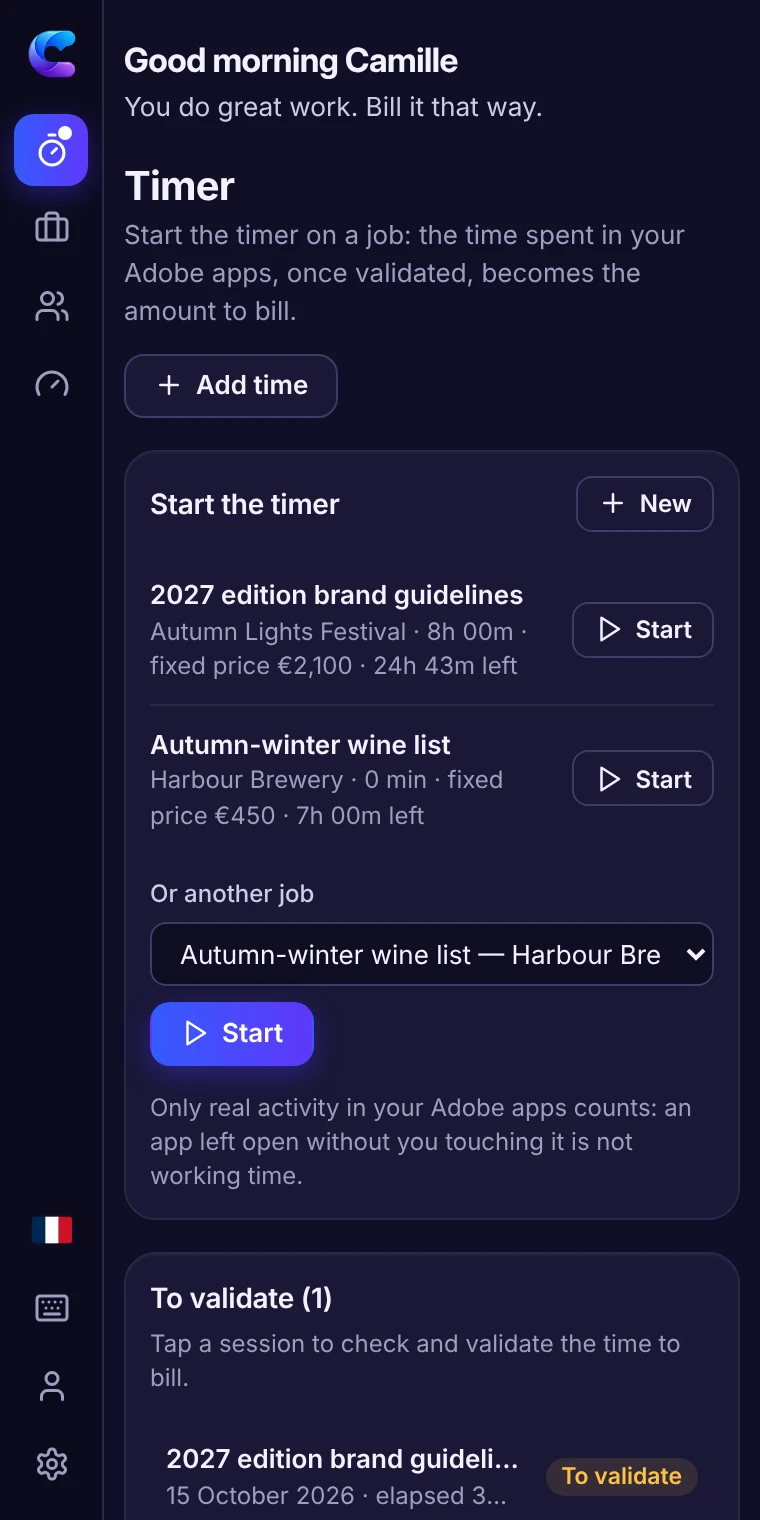
Start, work, validate, bill

The plugin measures.
You decide.

The timer follows your activity in your Adobe apps and suggests your time. No detection is perfect: you validate, every break can be counted or not, and you can correct everything.

  1. 1 · Start

    3h 05m

    Elapsed time

    One click on the job in progress: the timer runs from start to stop, breaks included.

  2. 2 · Work

    2h 35m

    Active time

    As usual: only the moments you act count — tools, layers, text, playback of your edit.

  3. 3 · Validate

    2h 35m

    Validated billable

    Coffee, a call, thinking away from the screen (30 min here): you decide what counts. Nothing is discarded without your consent.

  4. 4 · Bill

    €165.75

    Amount to bill

    Your validated time at your rate (€64.16 an hour), and the PDF timesheet for your client.

One single timer in Photoshop, Illustrator, InDesign, Premiere and After Effects, on Mac and PC: time adds up on the same job, from one app to another.

In 30 seconds

All of ChroKo, in motion.

Your rates, the timer you validate, what each client really brings in and the fixed price going off track: a tour of the plugin, on video.

  • Minimum, target and recommended rates, calculated for you
  • Time measured in your Adobe apps, from print to video
  • €11.90 a month or €99 a year

30-second video · French voice-over, English subtitles

My rates

Your rates, explained line by line.

The plugin shows the formula and the details of every result, roundings included. No tax rate is imposed: you enter your own.

  • Working days, time off and non-billable time
  • Recurring costs and depreciated equipment
  • Social charges and taxes for your status
  • Minimum income, target income and safety margin
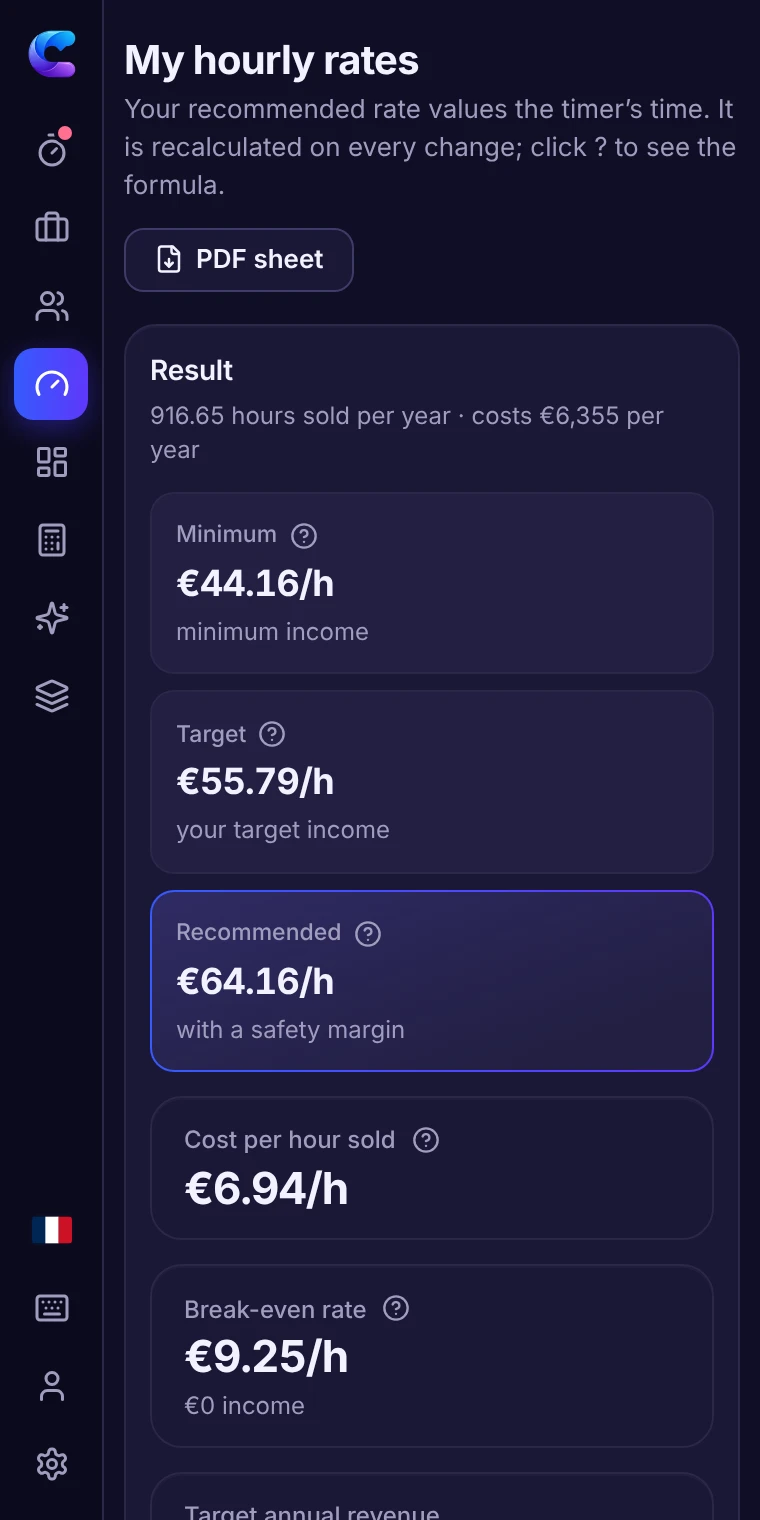
The “My rates” screen of the panel: minimum, target and recommended rates
Advanced mode

To go further.

The plugin stays simple until you need more. One setting adds these tools to set your prices and track what you really earn.

“How much to charge?”

An assistant starts from your situation and the client’s request to suggest a well-argued price, which you adjust.

Quotes and fixed prices

Price simulator, checking a fixed price before accepting it, the real cost of revision back-and-forths.

Real profitability

Hourly rate achieved per job and per client, gap to the quote, clients who cost more than they bring in.

Useful alerts

A fixed price going off track, a price below your minimum: you are warned during the project, not after.

Privacy

Your numbers stay with you.

Clients, prices, time and costs are stored on your computer. Our server only knows your account and your subscription.

The bare minimum on the server

Your e-mail address, your subscription and the list of your computers. Nothing else.

Offline

Up to 14 days in a row without internet.

Unlimited exports

CSV, PDF and full backup, at any time — even after your subscription ends.

One computer, one set of data

All your Adobe apps share the same data and the same subscription.

The math that matters

Pays for itself in 12 minutes.

At €60 an hour, billing 12 more minutes a month covers the monthly subscription. Everything else is what you used to let slip away.

12 min / month

Monthly subscription

€11.90 ÷ €60 = 12 extra minutes billed per month (rounded up to the next minute).

€720 / year

15 more minutes per job

A revision round finally billed, a break properly counted: 15 min × 4 jobs a month × 12 months at €60. For a €99 subscription.

Example at €60. What is your rate? Work it out for free

Frequently asked questions

What is ChroKo?

ChroKo is a timer for creative freelancers, installed in Photoshop, Illustrator, InDesign, Premiere and After Effects: it measures your active working time, turns it into the amount to bill and shows the real profitability of every job.

How does the timer know I am working?

It watches what you do in the app: layers, selections, edits, saves, playback of your edit… A gap without any action shorter than the threshold you choose (5 minutes by default, from 1 to 30) remains active time; beyond that, the time is set aside as idle. It never reads the content of your files or what you do in other software.

Do I have to remember to start and stop the timer?

You start it in one click on the job you are working on. If you are away for more than 15 minutes, it asks you when you come back whether that time should count; if it has been running for hours, it warns you. Nothing is billed without your validation, and you can always add or remove time.

Are social charge and tax rates provided?

No, on purpose: they depend on your status and change every year. You enter your own rates; the plugin calculates and explains, it does not replace your accountant.

What about working offline?

The plugin works normally for up to 14 days without a connection, then asks you to reconnect to check the subscription. Your data never leaves your computer.

On how many computers?

3 computers per subscription, Mac or PC. All the Adobe apps on the same computer count as one. You free up a computer from your account.

Can I try it before subscribing?

The online demo shows every feature with sample data, without an account or installation, for 15 minutes: nothing is saved or exported.

What happens if I stop my subscription?

The plugin switches to read-only: everything stays viewable and exportable, nothing is deleted. You can come back whenever you like.

Your right price,
starting today.

€11.90 a month or €99 a year. No commitment: your data stays viewable and exportable if you stop.