

Time tracking in Illustrator, all the way to the price to bill.
A timer panel in Illustrator: start it on a job, draw as usual, and the time you really spent working becomes the amount to bill your client.
Illustrator 2024 (28.0) or later · Mac and PC · from €11.90 a month
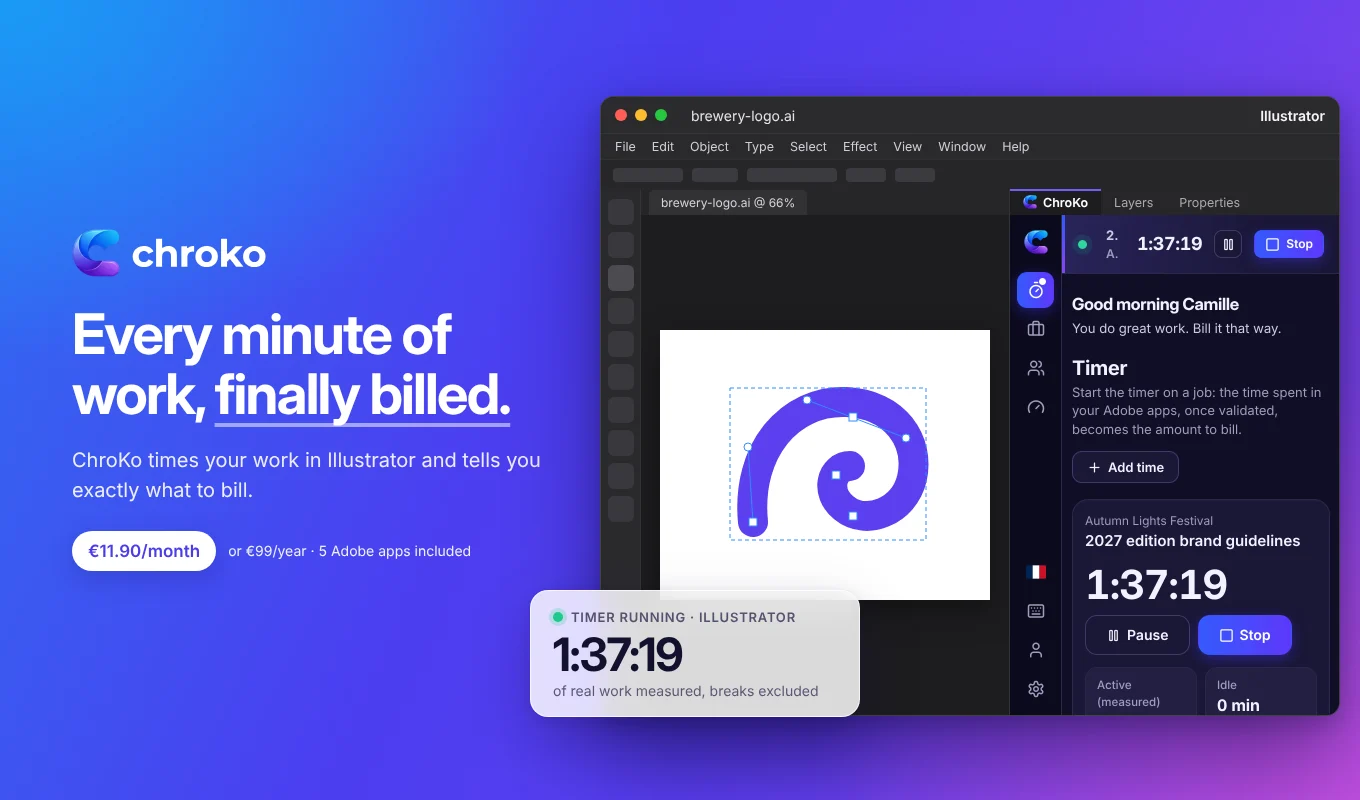
What the timer counts in Illustrator.
Illustrator reports little to its extensions, so the panel combines two measurements. It never reads your keystrokes, the content of your files or your screen.
Mouse, keyboard, tablet
When your system allows it, the panel reads the time of your last input and checks that Illustrator is in the foreground: the most accurate measurement, stylus included.
Your active document
Otherwise, it looks at the document every 10 seconds: selection, layer, zoom, active artboard, unsaved changes. A change counts as an action.
Documents and saves
Switching from one document to another, saving, acting in the panel: all signs that you are at work.
Idle time, set aside
Without any input for the threshold you choose (5 minutes by default, from 1 to 30), the time becomes idle. You then decide whether to count it.
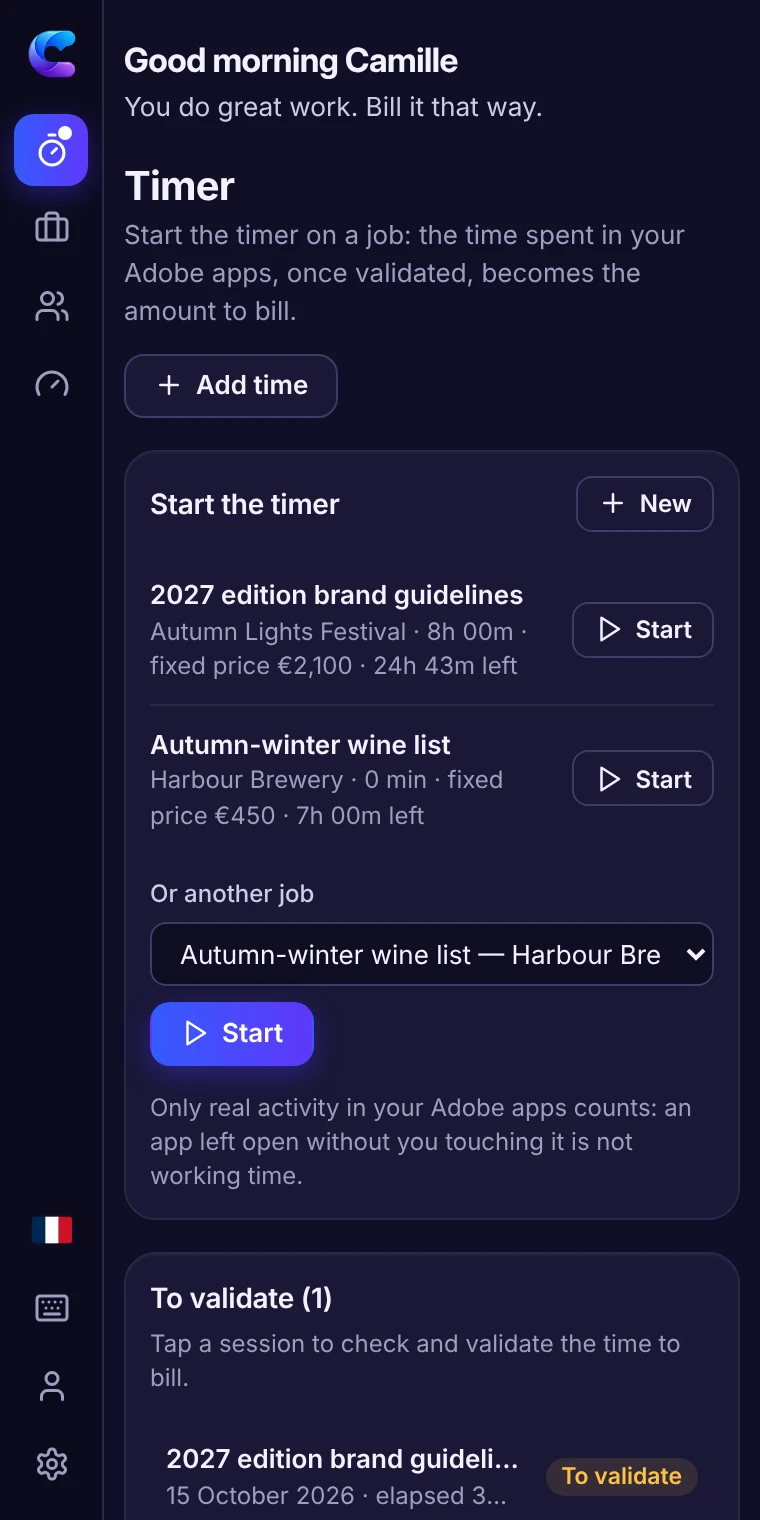
From time spent in Illustrator to the amount to bill.
- Start the timer on the job. One click in the panel, on the work in progress. You can also add time manually.
- Work as usual. The timer follows your activity in Illustrator. Away for more than 15 minutes? It asks you when you come back whether that time should count; forgotten for hours? It warns you.
- Validate the session. Elapsed, active and idle time stay separate: you keep the billable time, count or remove a break, correct if needed.
- Bill. For time spent, the amount is the validated time multiplied by your rate; at a fixed price, you see the time still covered or the lost income. A PDF timesheet goes with your invoice.
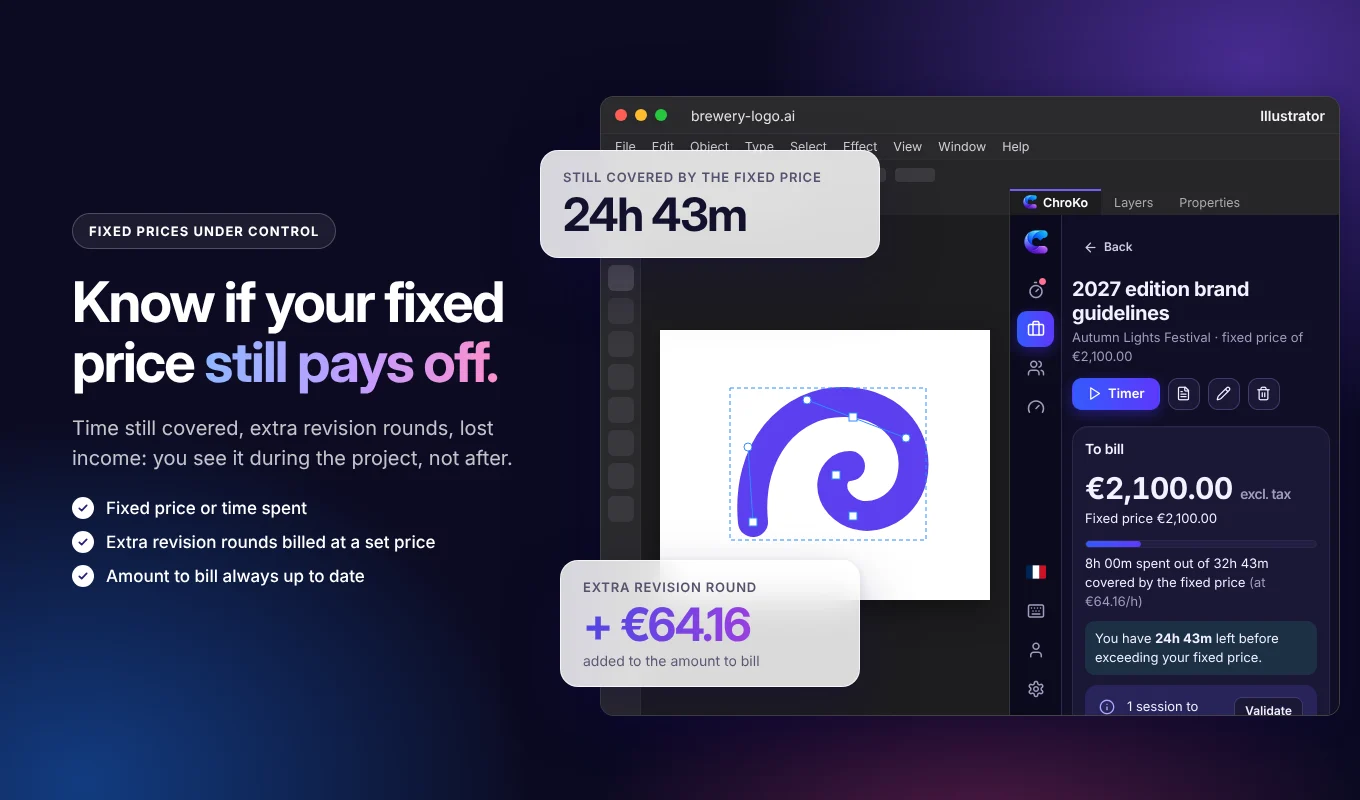
For projects where time slips away without warning.
Logos and identities
Research, routes, variations: the time of each step, to know whether your design fee really holds up.
Illustration
An editorial or publishing illustration: the real time behind the price, and proof when changes are requested.
Pictograms and icons
Series of 20 or 40 icons: the average time per piece, to price the next series right.
Packaging and labels
Several artboards, several references: the time of each variation, client by client.
Install the timer in Illustrator (.zxp).
- Download the Illustrator .zxp file from the Download page.
- Install it with Adobe’s tool that comes with Creative Cloud: the Download page gives the command to copy into Terminal (Mac) or the Command Prompt (Windows).
- Restart Illustrator, open Window › Extensions › ChroKo and sign in.
The plugin works with a subscription (€11.90 a month or €99 a year). To discover it first, the online demo shows every feature for 15 minutes, with sample data. Your own work numbers stay on your computer.
The same timer in your other apps.
One job, one timer, five apps: same jobs, same clients, same rates, and time adds up wherever you work.
Photoshop
What the timer counts in Photoshop, its uses and its installation.
Time tracking in PhotoshopInDesign
What the timer counts in InDesign, its uses and its installation.
Time tracking in InDesignPremiere
What the timer counts in Premiere, its uses and its installation.
Time tracking in PremiereAfter Effects
What the timer counts in After Effects, its uses and its installation.
Time tracking in After EffectsQuestions about the timer in Illustrator
Is the time spent looking for an idea on paper counted?
Not automatically: the timer only measures what happens in Illustrator. When you validate the session, you can count a thinking break, or add time manually in the panel.
How do I track several logo routes for the same client?
Create one job per project (or per route if you bill them separately) and start the timer on the one you are working on. The amount to bill is calculated job by job, and the client groups them together.
Why is the installation different from Photoshop’s?
Illustrator uses another extension format, the .zxp, which installs with Adobe’s tool that comes with Creative Cloud. The Download page gives the exact command for Mac and Windows.
What if I switch from Illustrator to Photoshop or InDesign on the same project?
The timer and your data are shared by Photoshop, Illustrator, InDesign, Premiere and After Effects: install ChroKo in each app and you find the same jobs, clients and rates everywhere. Time spent in one or the other adds up on the same job, on the same computer and with the same subscription.
Which version of Illustrator do I need?
Illustrator 2024 (28.0) or later, on Mac or PC. One subscription covers 3 computers, and all the apps on the same computer count as one.
Your time in Illustrator,
finally billed.
€11.90 a month or €99 a year, no commitment. Photoshop, Illustrator, InDesign, Premiere and After Effects included.