

Time tracking in Premiere, all the way to the price to bill.
A timer panel in Premiere (formerly Premiere Pro): start it on a job, edit as usual, and the time you really spent working becomes the amount to bill your client.
Premiere 2025 (25.6) or later · Mac and PC · from €11.90 a month
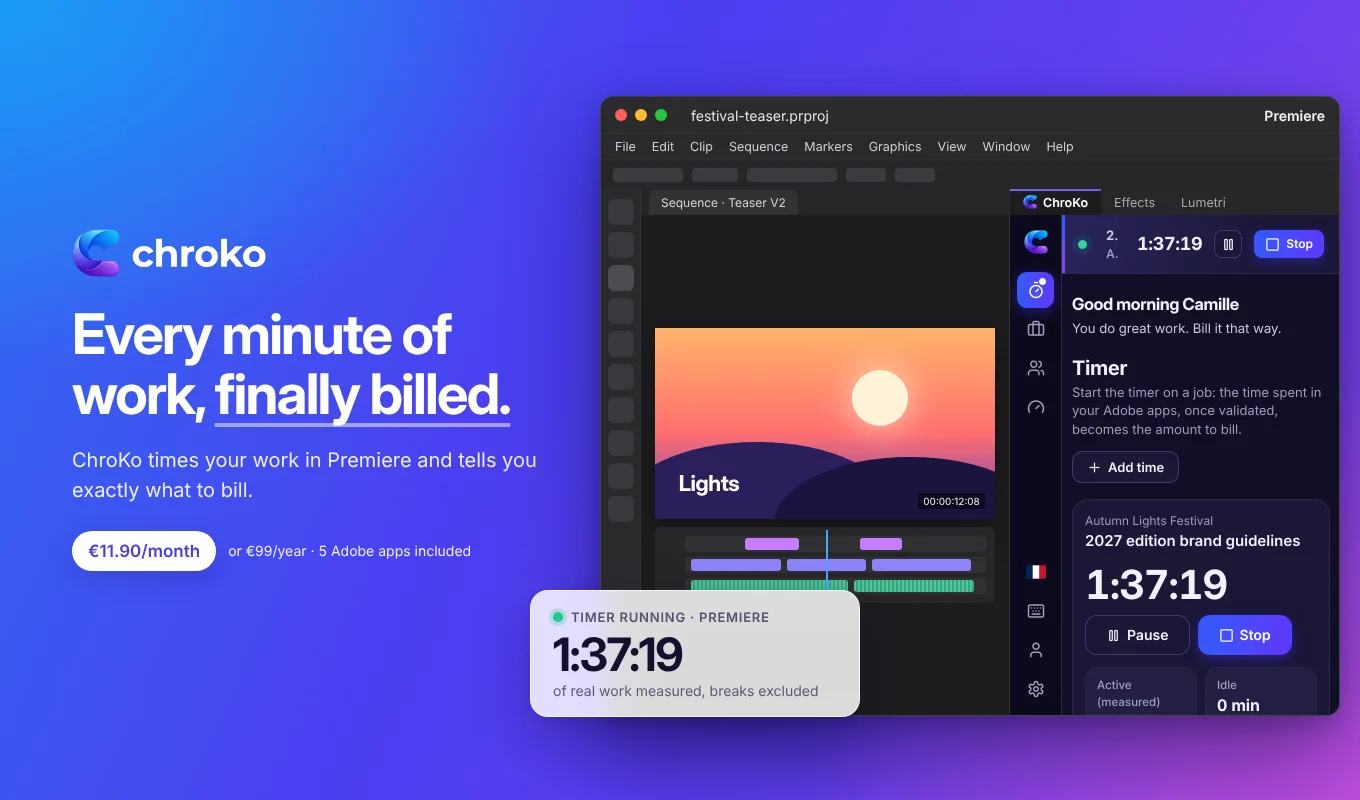
What the timer counts in Premiere.
The panel listens to the events Premiere reports itself and follows the playhead. It never reads your media or what you do in other software.
Your edit
Selecting clips in the sequence or items in the project, dropping an effect, extending a clip: every gesture extends your active time.
Playing back your edit
Every 5 seconds, the panel checks where the playhead is: playing, scrubbing and keyboard navigation count as work. Watching your edit is editing.
Projects and sequences
Opening a project, switching from one project or sequence to another: all signs that you are at work.
Breaks, set aside
A still playhead and no gesture for the threshold you choose (5 minutes by default, from 1 to 30): the time becomes idle. An export running while you are away does not count as work.
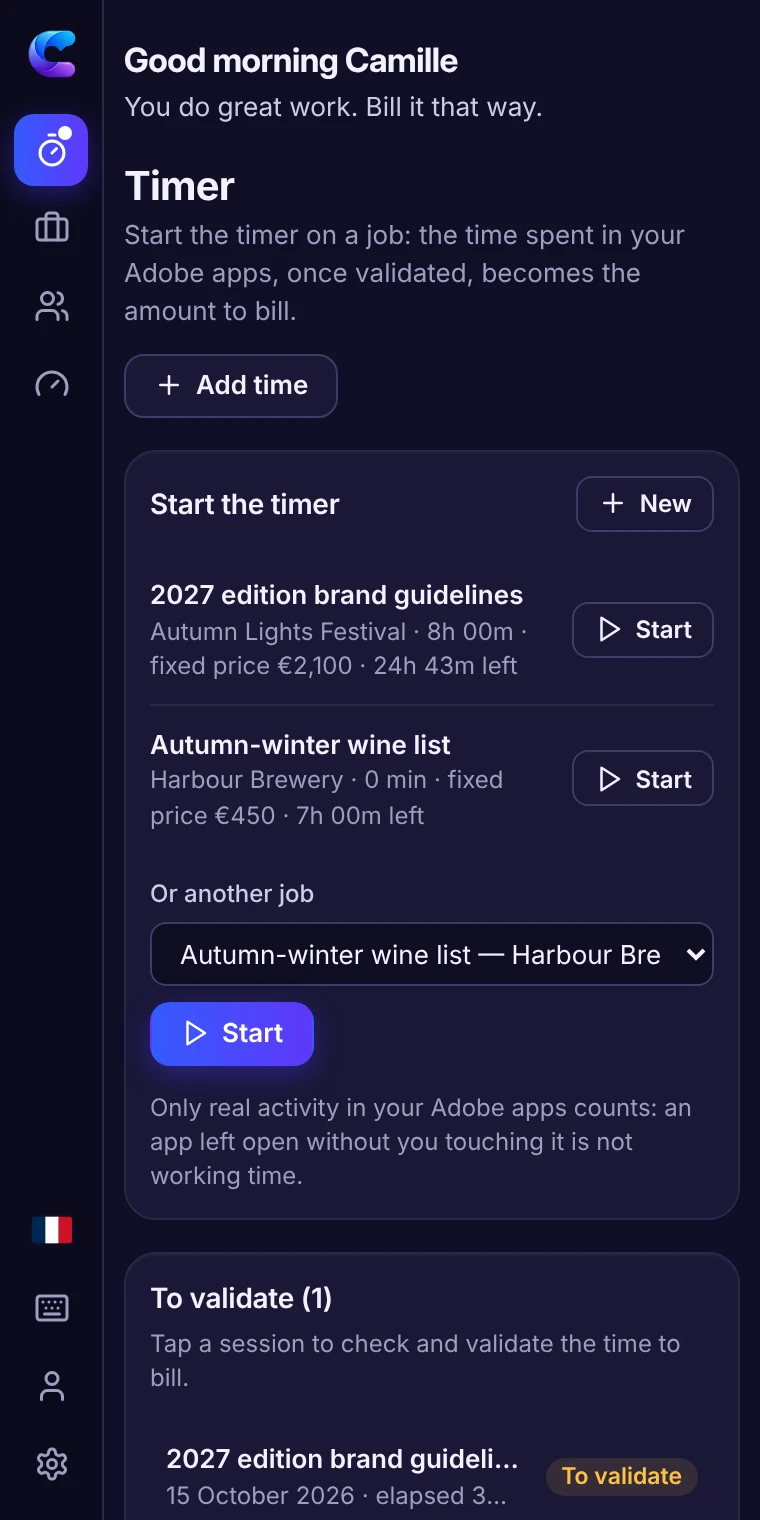
From time spent in Premiere to the amount to bill.
- Start the timer on the job. One click in the panel, on the work in progress. You can also add time manually.
- Work as usual. The timer follows your activity in Premiere. Away for more than 15 minutes? It asks you when you come back whether that time should count; forgotten for hours? It warns you.
- Validate the session. Elapsed, active and idle time stay separate: you keep the billable time, count or remove a break, correct if needed.
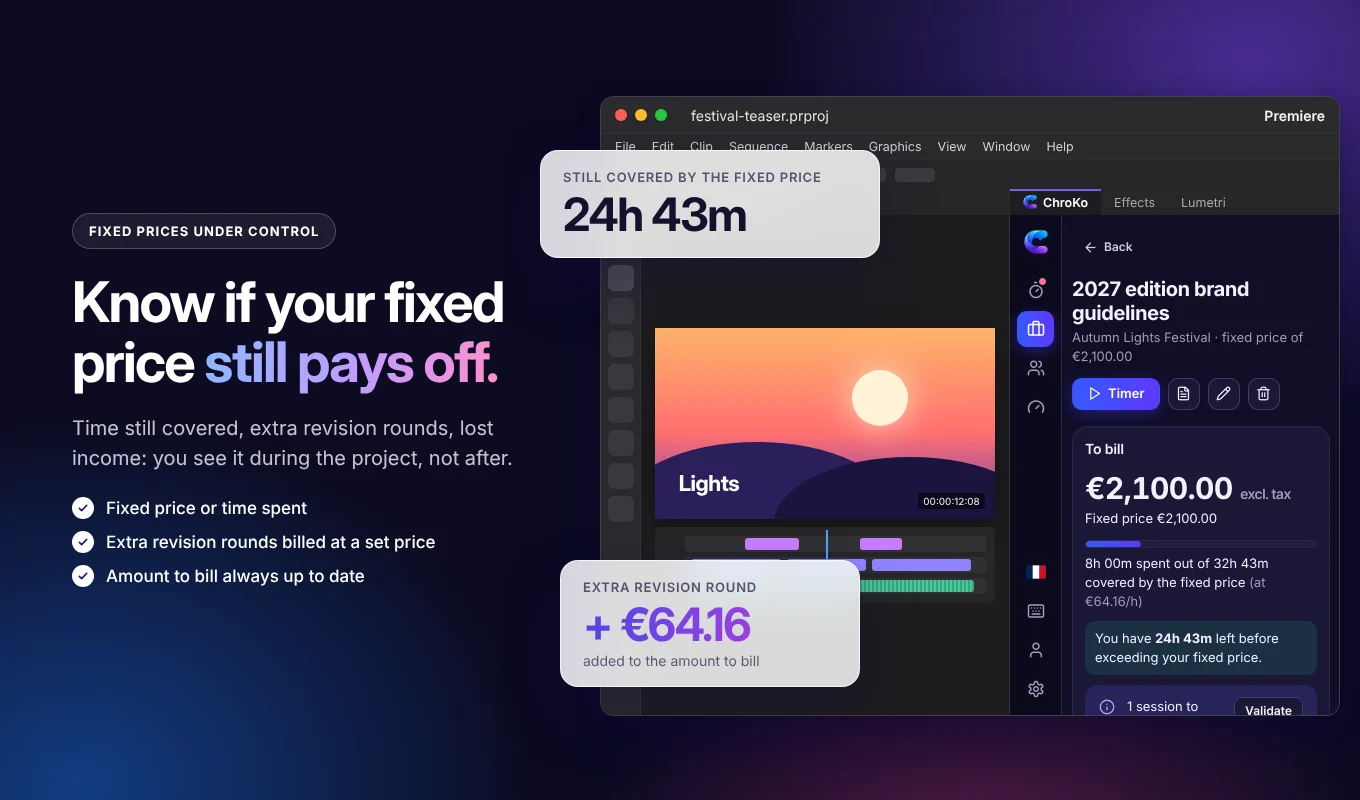
- Bill. For time spent, the amount is the validated time multiplied by your rate; at a fixed price, you see the time still covered or the lost income. A PDF timesheet goes with your invoice.
For edits that grow longer with every version.
Corporate films
Interviews, B-roll, graphics: the real time of every version, to compare with your quote.
Social media formats
Vertical, square and short formats: the “quick” variations that end up taking the whole day.
Captions, grading, sound
The steps often forgotten in the quote, finally measured and priced right.
Client feedback rounds
Every version counted: at a fixed price, the revision rounds beyond those planned are billed at a set price per round.
Install the timer in Premiere (.ccx).
- Download the Premiere .ccx file from the Download page.
- Double-click it: the Creative Cloud app installs the plugin.
- In Premiere, open the Window › UXP Plugins › ChroKo menu and sign in.
The plugin works with a subscription (€11.90 a month or €99 a year). To discover it first, the online demo shows every feature for 15 minutes, with sample data. Your own work numbers stay on your computer.
The same timer in your other apps.
One job, one timer, five apps: same jobs, same clients, same rates, and time adds up wherever you work.
Photoshop
What the timer counts in Photoshop, its uses and its installation.
Time tracking in PhotoshopIllustrator
What the timer counts in Illustrator, its uses and its installation.
Time tracking in IllustratorInDesign
What the timer counts in InDesign, its uses and its installation.
Time tracking in InDesignAfter Effects
What the timer counts in After Effects, its uses and its installation.
Time tracking in After EffectsQuestions about the timer in Premiere
Is rendering and export time counted?
Not automatically: during a render or an export, you are not necessarily working. If you stay in front of it to check, or if you bill that machine time, count it when validating the session or add it manually.
What about the time spent reviewing footage?
It is counted as long as the playhead moves or you act in Premiere: playing, scrubbing, selecting. Playback stopped during your coffee break becomes idle time beyond the threshold you choose.
What if I switch from Premiere to After Effects or Photoshop on the same project?
The timer and your data are shared by Photoshop, Illustrator, InDesign, Premiere and After Effects: install ChroKo in each app and you find the same jobs, clients and rates everywhere. Time spent in one or the other adds up on the same job, on the same computer and with the same subscription.
Which version of Premiere do I need?
Premiere 2025 (25.6) or later, on Mac or PC. One subscription covers 3 computers, and all the apps on the same computer count as one.
Your time in Premiere,
finally billed.
€11.90 a month or €99 a year, no commitment. Photoshop, Illustrator, InDesign, Premiere and After Effects included.